
Polling rate is one of the most misunderstood mouse specifications. It sounds technical, but the idea is simple: the polling rate is how many times per second your mouse tells your computer where it is. It is measured in hertz (Hz). A mouse running at 1000 Hz reports its position 1000 times every second — once every millisecond.
You can measure yours right now with our free Polling Rate Test — move your mouse and it shows the real-time Hz your device is reporting.
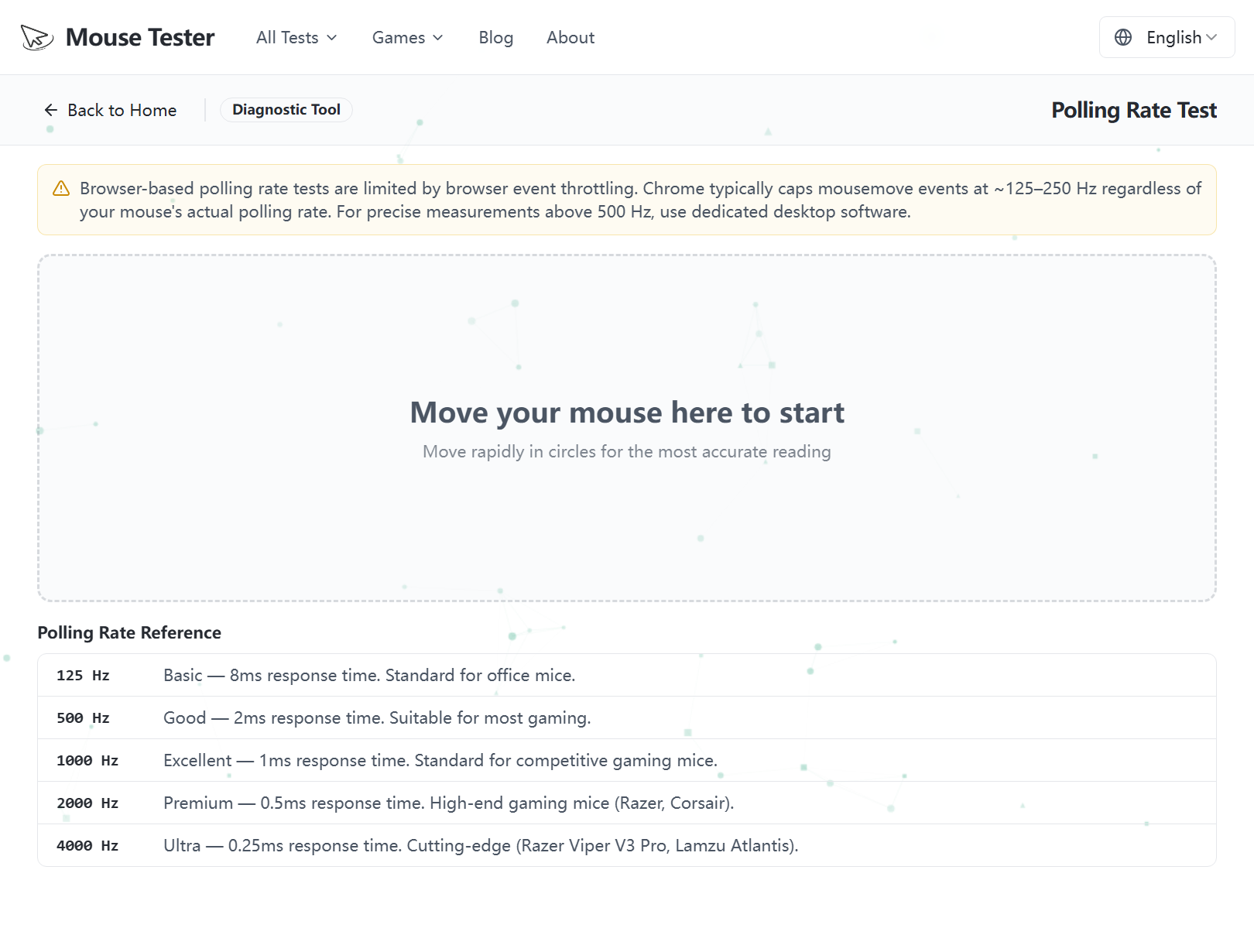 Our free Polling Rate Test — move your mouse in the box to read your live Hz, with a reference table for 125 Hz to 4000 Hz.
What Does Polling Rate Mean?
Every time your mouse "polls," it sends a small packet of data to the PC containing how far it has moved and which buttons are pressed. The polling rate is the frequency of those updates:
| Polling Rate | Time Between Reports | Feel |
|---|---|---|
| 125 Hz | 8 ms | Older/office mice; noticeable delay for gaming |
| 500 Hz | 2 ms | Smooth for most users |
| 1000 Hz | 1 ms | Standard for gaming mice |
| 2000–8000 Hz | 0.5–0.125 ms | High-end gaming, needs a capable PC |
A higher polling rate means less delay between moving your hand and the cursor updating on screen, and smoother tracking during fast motion. The trade-off is slightly higher CPU usage — which is negligible on modern computers at 1000 Hz, but can matter at 4000 Hz and above.
Report rate vs polling rate: Some manufacturers call this the report rate. They are the same thing — how often the mouse reports its position per second, measured in Hz.
What Is a Good Polling Rate for a Mouse?
For everyday use, 125–500 Hz is perfectly fine. You will not notice the difference browsing or working in documents.
For gaming, 1000 Hz (1 ms) is the widely accepted standard and the sweet spot for almost everyone. It provides responsive, consistent tracking without stressing your system.
Polling rates of 4000 Hz or 8000 Hz exist on premium gaming mice. They can reduce motion blur and input latency further, but the benefit is small and only meaningful if you also have a high-refresh-rate monitor (240 Hz+) and CPU headroom to spare. For most players, 1000 Hz is more than enough.
Polling Rate vs DPI — They Are Not the Same
This is the most common point of confusion, so let's be clear:
- Polling rate (Hz) = how often the mouse reports its position.
- DPI (dots per inch) = how far the cursor moves for each inch you move the mouse.
DPI controls sensitivity. Polling rate controls responsiveness. You can have a high-DPI mouse with a low polling rate, or the reverse. Both matter, but they solve different problems. If you want to check sensitivity, use our Mouse DPI Test and DPI Calculator instead.
How to Check Your Mouse Polling Rate
There are three reliable ways to check the polling rate of your mouse:
1. Use an online polling rate test (easiest)
Open our Polling Rate Test, then move your mouse continuously in circles. The tool measures the interval between the position reports your browser receives and displays your live and peak polling rate in Hz. This requires no software installation and works on any operating system.
For an accurate reading, keep moving the mouse steadily for a few seconds — the rate only registers while the mouse is actually reporting movement.
2. Check your mouse software
Gaming-mouse software shows and lets you change the polling rate directly:
- Logitech — G HUB → your mouse → Report Rate
- Razer — Synapse → Performance → Polling Rate
- SteelSeries — GG Engine → Settings
- Corsair — iCUE → Device Settings
3. Check the manufacturer's spec sheet
The box or product page lists the maximum supported polling rate. Note that this is the maximum — the mouse may be set lower by default or capped by your USB port.
Why Is My Polling Rate Lower Than Expected?
If your test shows a lower rate than your mouse supports, common causes are:
- The polling rate is set lower in the mouse software — raise it to 1000 Hz.
- A wireless mouse in a power-saving mode drops its rate to save battery.
- A USB hub or slow USB port is limiting the connection — plug directly into a rear USB port on the PC.
- Browser or system frame-rate limits can cap the measured value; close heavy background apps and retest.
The Bottom Line
Polling rate is simply how many times per second your mouse reports its position. 1000 Hz is the standard for gaming and the best choice for most people, while 125–500 Hz is fine for everyday work. It is different from DPI, which controls sensitivity rather than responsiveness.
Want to know your number? Run the free Polling Rate Test — no download required.